Dinner is roasting on one shelf, rice is resting, and a vegetable pan needs attention in a few minutes. Three identical phone alarms all labeled Timer do little to clarify the next step. The useful upgrade is a system that distinguishes the jobs, whether that system lives on a phone or a small countertop device.
A dedicated kitchen timer is worth considering when wet hands, a shared kitchen, or several simultaneous tasks make the phone awkward. Start by deciding what each alarm needs to communicate. Then choose the simplest controls that support the way you cook on a normal Tuesday.
A good timer turns a cooking plan into recognizable actions; it cannot tell you whether food has reached a safe internal temperature.
Write the actions before setting the alarms
Read the recipes and identify the moments that need an action: turn the tray, check the saucepan, remove the pan, or start a resting period. A timer for Check Vegetables is more useful than one ambiguously called Dinner. Where a recipe gives a range, set the first check toward the earlier point rather than using the final number as a guarantee.
Work backward from the meal you want to serve. Write the sequence on paper while learning it: main dish first, side next, vegetable pan later, then a final check. Build in time for draining, plating, and resting where the recipe calls for it. This does not require a complicated spreadsheet, just enough structure that the alarms support a plan already understood.
Choose the right kind of timer
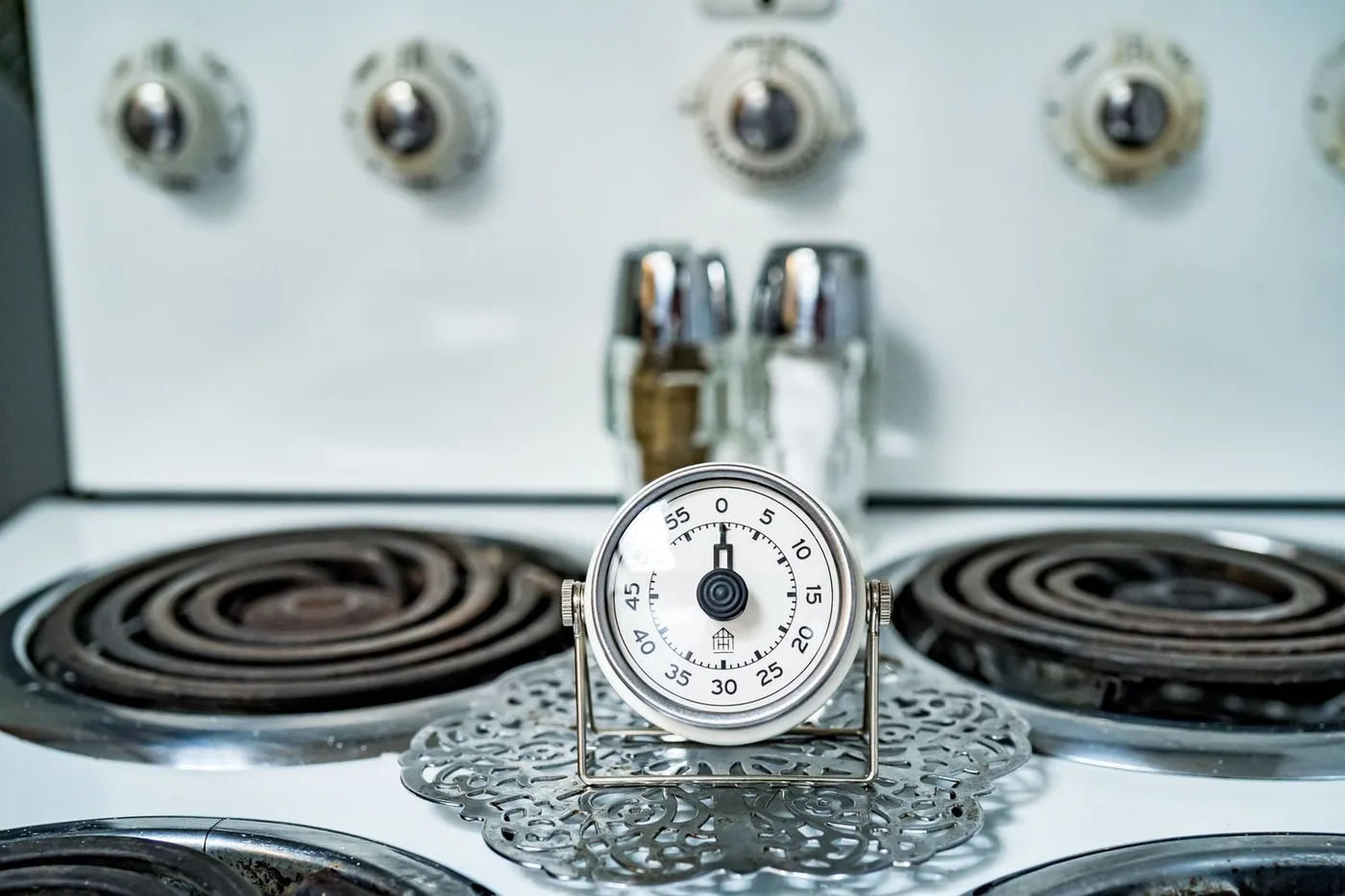
A phone is flexible when it supports clearly named, simultaneous timers and remains in the kitchen. A single countertop timer suits one active job and can be easy for several people to see. A multi-channel model is useful when you repeatedly juggle several dishes and want their countdowns displayed together.
OXO's current Triple Timer has three separate timers, distinct beeping patterns, adjustable volume, and a count-up function according to its official page. Those are relevant features for the three-dish scenario. They do not establish whether the sound is suitable for your home, so check its controls and the seller's return arrangements. A large display matters less if the labels or channel selection are confusing.
| Option | Best household fit | Everyday tradeoff |
|---|---|---|
| Phone timers | Named reminders when one cook keeps the phone nearby | The phone can leave the room or require messy handling |
| Single digital timer | One main countdown with visible simple controls | A second dish needs another clearly tracked reminder |
| Multi-channel timer | Several recurring simultaneous cooking jobs | Someone must remember which channel means which action |
| Oven timer | A reminder tied to the appliance already in use | Display and sound may be hard to notice elsewhere |
Give the controls a realistic trial
Before the first busy dinner, set a short countdown and let it finish. Learn how to pause, add time, silence an alarm, reset one channel, and leave other channels running. Test whether the device remembers the last setting or returns to zero; both behaviors can be useful, but surprises create mistakes.
Place the timer where its display is visible from the preparation area without being next to splashes or heat. Listen from the rooms you normally move into during cooking. Do not assume an extra-loud alarm is automatically preferable in a small apartment or a household with a sleeping child. A visible countdown and a suitable placement may help more than maximum volume.
Keep the timer and thermometer roles separate
A timer prompts a check; it does not measure what happened inside the food. USDA explains that a food thermometer is needed to verify a safe internal temperature, and that placement matters. Follow the appropriate current cooking guidance and thermometer instructions for the food rather than extending a countdown until the outside looks ready.
Keep a suitable thermometer easy to find so checking is part of the sequence. When a timer sounds for a main dish, check what the recipe and safety guidance require, then reset a clearly identified reminder if more cooking is needed. Do not carry over the previous meal's timing as proof that a different quantity, thickness, or appliance setting will produce the same result.
Build a shared-kitchen convention
If two people cook, agree that the person setting the timer names its purpose aloud. For a numbered device, a small note can read T1 Main, T2 Rice, T3 Vegetables. Keep the same channel convention for a familiar meal, then remove the note afterward. Nobody should silence an unidentified alarm and assume the other cook knows it rang.
Buy a dedicated timer when it solves a recurring visibility or handling issue. Skip a complicated model if you cook one dish at a time and your existing timer works. Avoid paying for many modes you will never use or a decorative shape with difficult buttons. At cleanup, wipe the exterior according to instructions and store it where it will not fall behind the appliance before tomorrow's dinner.
Shopping notes
Use these options as a starting point, then check dimensions, current materials, care instructions, availability, and the retailer’s return policy before ordering.
OXO Triple Timer
Consider it for: A candidate for cooks who want three visible countdowns, distinguishable alarms, and direct controls on one countertop device.
The tradeoff: The channels still need clear assignments. Confirm that the display, buttons, and alarm behavior suit the kitchen before relying on it during a complex meal.
Explore at the official site External merchant link · no affiliate commissionYour questions, answered
How many countdowns do I need?
Count independently timed actions in the meals you cook often. Two or three may cover most household needs. Extra channels add little if their purposes are hard to remember.
Can I use a timer for food safety?
Use it as a reminder to check food. Verify the required internal temperature with an appropriate food thermometer and current guidance; elapsed time alone does not establish doneness or safety.
Should I set every task at the beginning?
Set timers when their actual cooking or resting stages begin unless the device clearly supports another scheduling method. Starting every countdown together can be confusing when dishes enter the oven at different times.
Sources & further reading
Product and care details were checked against the sources below on October 18, 2026. Our practical recommendations are editorial judgments, and a listed source does not imply endorsement.
- OXO: Triple Timer product detailsChecked 2026-10-18
- USDA FSIS: Food ThermometersChecked 2026-10-18